 Sequency
The Complete Conversion Tool for macOS
Professional image sequence to video, video to video, and video to image sequence conversion. SwiftUI‑native with an intelligent hybrid color pipeline that routes between Apple ColorSync and OpenColorIO.
Join others on the waitlist
One Tool, Every Conversion
Handle any conversion task with a single, streamlined application. Sequency is your central hub for format conversions.
Image Sequence to Video
Convert image sequences (including EXR) into professional video formats with an intelligent, dual-path color pipeline.
Video to Video
Transcode video files, changing codecs, frame rates, or resolutions with ease and precision.
Video to Image Sequence
Extract frames from video files and export them as high-quality PNG sequences.
Professional-Grade Features. Simple Interface
Sequency leverages Apple's native frameworks and OpenColorIO to deliver high performance and professional color accuracy in a clean, intuitive interface.
Hardware‑Accelerated Pipeline
Uses AVFoundation, VideoToolbox, and Core Image with optional Metal‑powered processing.
Hybrid Color Engine
Automatic engine selection: ColorSync for sRGB/P3/Rec.709, OCIO for ACES and camera logs.
Native EXR Handling
Dedicated EXR processor with multichannel splitting, AppleEXR support on macOS 14+ and fallback options.
Intelligent Sequence Detection
Automatically discovers image sequences with pattern-based detection and metadata reading.
Flexible Output Options
Export to H.264, HEVC, ProRes 422, MKV (VP9/WebM), or PNG sequences with full control over settings.
Security & Permissions
Sandboxed with security‑scoped directory access and clear remediation guidance.
Advanced Workflow Tools
Fine-grained control over exports with features designed for professional pipelines.
Frame Range Selection
Export partial sequences — select specific frame ranges instead of entire sequences.
Pause/Resume Exports
Pause and resume exports — never lose progress on long renders.
Batch Queue
Batch queue — line up multiple conversions and let them run overnight.
Multichannel EXR Splitting
Multichannel EXR splitting — automatically separates render passes (RGBA, Depth, Normals, etc.) into folders.
Audio Handling
Preserve, convert, or strip audio tracks — Copy/AAC/PCM/No Audio options available.
VP9 Speed Presets
VP9 encoding with Quality/Balanced/Fast/Realtime presets for web delivery.
Hybrid Color Architecture
Sequency automatically detects the optimal engine for your workflow, balancing lightning-fast performance with professional-grade precision.
Apple ColorSync
Core Image and ColorSync for standard colorspace conversions. Faster and avoids GPU overhead for simple transforms.
Standard web and broadcast workflows where speed is paramount.
OpenColorIO
Professional color science for high-end pipelines. Handles complex transforms that ColorSync cannot.
VFX pipelines, camera-native footage, and studio-grade mastering.
Automatic Engine Selection
Automatic engine selection: ColorSync for sRGB/P3/Rec.709, OCIO for ACES and camera logs. If you're working with standard broadcast/web colorspaces, it uses Apple's native ColorSync. If you're doing ACES or working with camera-native footage, it routes through OCIO with GPU acceleration.
Supported Formats
Import virtually any professional media format. Export to industry-standard codecs and containers with full control over quality and compatibility.
Read Formats
Full MXF support for professional broadcast workflows including camera-native and NLE exports
name.0001.extname_0001.extname0001.extOutput Formats
| Category | Read | Export |
|---|---|---|
| Video (Web) | MP4, M4V, MKV (H.264/HEVC) | MP4 (H.264/HEVC)MKV (VP9) |
| Professional BroadcastMXF | MOV, MXFFFV1, ProRes, DNxHD, AVC-Intra, MPEG-2 IMX, DV50 | MOV (ProRes 422/4444) |
| Image Sequences | PNG, TIFF, TGA, JPG, OpenEXR | PNGTIFFTGAOpenEXRJPG |
How It Works
Four simple steps to professional video conversion
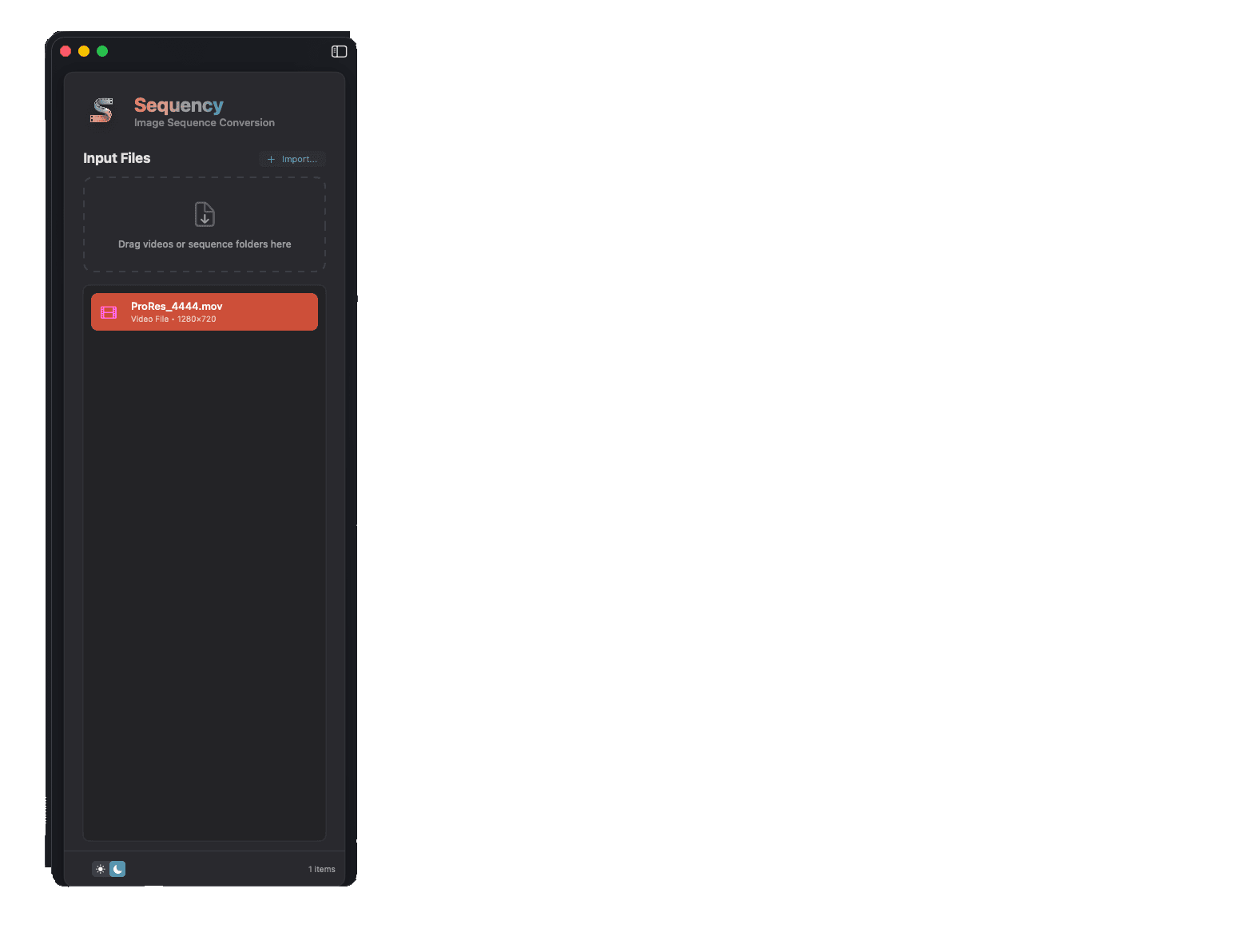
Select Input
Choose a folder (image sequence) or a single video file. Sequency lists detected sequences and relevant metadata.
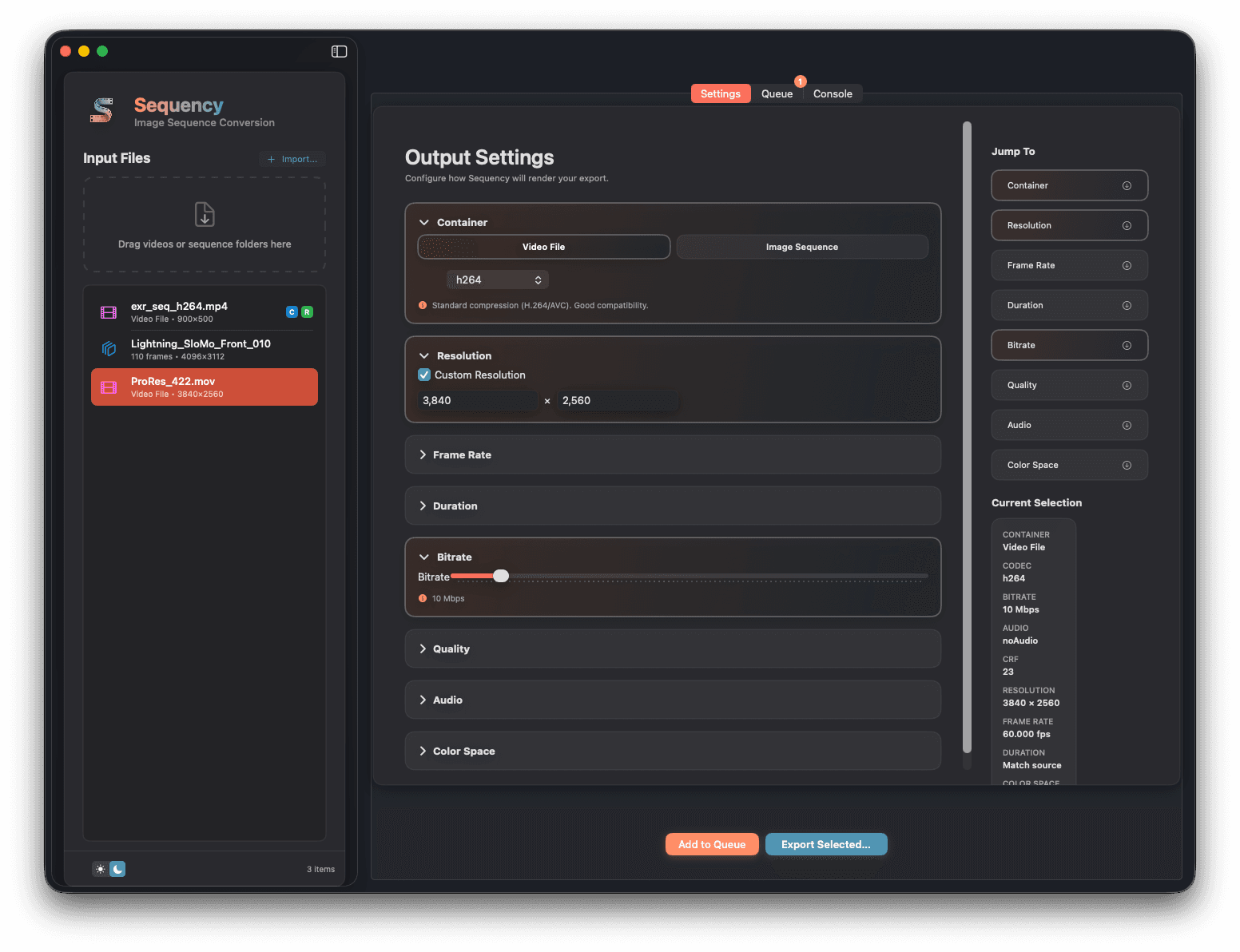
Configure Output
Pick codec/container or PNG sequence, set resolution, frame rate, duration, bitrate/CRF, audio, and color spaces.
Export or Queue
Export immediately or add to the queue. Uses intelligent, dual-path color‑managed exporters with compatibility checks.
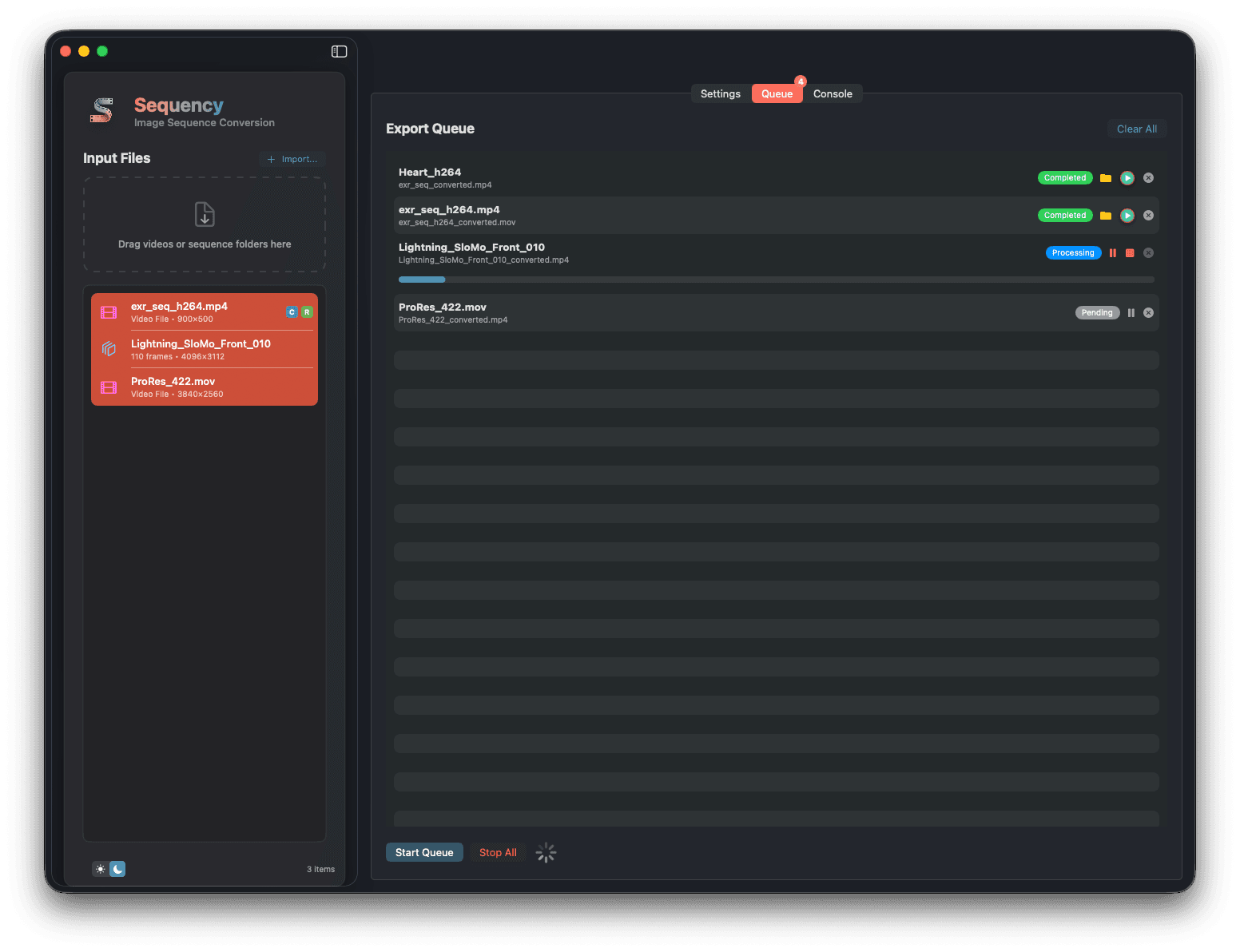
Monitor Progress
Track per‑job progress and logs with automatic remediation guidance for access or format issues.
A Straightforward Pricing Model
Sequency is available for a single, one-time purchase. This includes lifetime access and all future updates.
£5 One-Time Purchase
- Professional video conversion tools
- Hybrid ColorSync & OCIO pipeline
- Hardware-accelerated processing
- Built-in help & troubleshooting
Join the Waitlist
Need Help or Have an Idea?
Explore the Help Center for step-by-step guides, then drop into our Discord to share feedback, report bugs, or suggest new features. Your input guides Sequency's roadmap.
We read every message.